Counters prove syntax. These prove the point.
Both examples below are complete working applications on ordinary content pages of this site. They read and write
Domma CMS collections through the public collection API, and nothing behind them was written by hand: no endpoint,
no controller, no serialiser. A collection schema with three lines of api config is the whole back end.

Pick a room, pick a day, and see which hours are already gone. Choose a free hour, fill in a form that validates
itself, and the booking is written to the bookings collection - where the CMS validates it, checks the room really
exists, and stores it.
Shows: an effect that fetches, computed availability, derived validation, keyed slot grids, and a read allow-list
that keeps other people's names off the page.
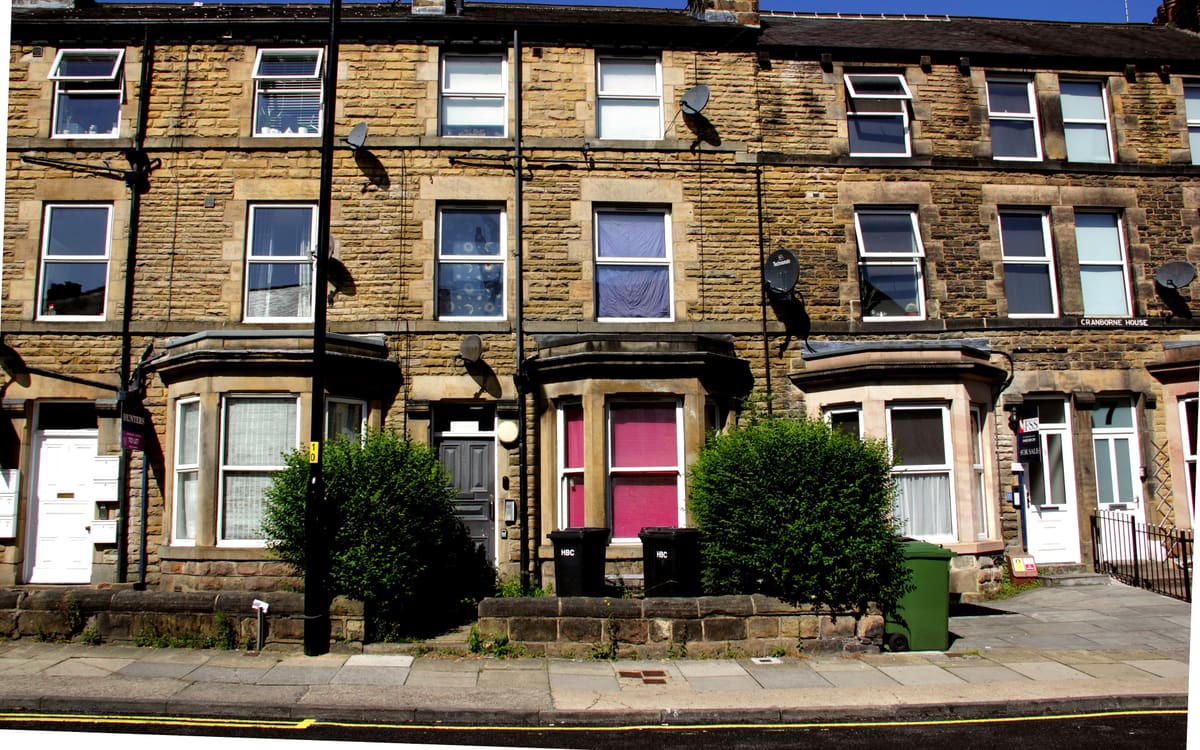
Eight filters, one query. Every control on the form contributes a clause to the CMS filter DSL, the server answers it, and the results render as components with private state - expand one card and the others stay as they were.
Shows: a computed query, rateLimit on the search box, components with params by reference, a custom binding, a
shortlist that persists itself, and a write to a create-only collection.
How both of them are built
The same four steps, and only the last one is JavaScript.
Rooms, bookings, properties and viewings are collections in Admin → Collections. Each has a schema: field names,
types, what is required, and - for bookings and viewings - a reference field pointing at another collection, which
the CMS validates on every write.
{
  "slug": "bookings",
  "fields": [
    {"name": "roomId", "label": "Room", "type": "reference", "required": true,
     "reference": {"collection": "rooms", "displayField": "name"}},
    {"name": "date", "label": "Date", "type": "date", "required": true},
    {"name": "startHour", "label": "Start hour", "type": "number", "required": true}
  ]
}
The api block on the schema is the entire back end. Each verb is separately switchable, and read.fields is an
allow-list of what a public read may return.
{
  "api": {
    "read":   {"enabled": true,  "access": "public",
               "fields": ["roomId", "date", "startHour", "hours", "people", "status"]},
    "create": {"enabled": true,  "access": "public"},
    "update": {"enabled": false, "access": "admin"},
    "delete": {"enabled": false, "access": "admin"}
  }
}
The photographs are fields too. rooms and properties each carry an image holding a path under /media, and
an imageCredit beside it - so a room's picture arrives in the same JSON as its price, and a page that wanted no
pictures would simply not bind them. Nothing in either demo fetches an image; both bind a string the CMS handed them.
That publishes GET and POST /api/v1/bookings. name, email and notes are stored on every booking and are
not in the read allow-list, so the public API cannot return them however the request is phrased - which is why the
demo can show you that an hour is taken without showing you who took it.
Access can also be a role name (checked against a JWT) or token, for a project-scoped API token. viewings in the
second demo publishes create and nothing else: the page can leave a request and cannot read anyone else's back.
The markup is ordinary HTML in an ordinary CMS page. data-* attributes survive the CMS sanitiser untouched, so a page
author can write bindings without a plugin, a partial or a build.
<ol class="slots" data-each="slots key=hour">
    <li>
        <button type="button" class="slot"
                data-on-click="$parent.choose($data)"
                data-bind-disabled="taken"
                data-bind-class="taken ? 'is-taken' : ''">
            <span data-bind-text="label"></span>
        </button>
    </li>
</ol>
Each demo is a single ES module. It builds a view model out of observables and computeds, and hands it to
applyBindings(viewModel, element). That is the whole integration - no hydration protocol, no second copy of the
markup, no framework boot.
import {applyBindings, observable, computed} from 'domma-reactive';

applyBindings(app, document.querySelector('[data-reactive-app="bookings"]'));
The filter DSL, which is doing more work than it looks
Both demos filter server-side. The CMS turns filter[<field>_<op>]=<value> query parameters into a query the storage
adapter answers - the same semantics whether the collection is JSON files or MongoDB.
| Operator | Meaning | Example |
|---|---|---|
_eq (default) |
equal | filter[town]=Ripon |
_ne |
not equal | filter[status_ne]=cancelled |
_gt _gte _lt _lte |
numeric or date comparison | filter[price_lte]=400000 |
_in _nin |
in / not in a comma-separated list | filter[propertyType_in]=Flat,Cottage |
_contains _starts _ends |
case-insensitive substring | filter[summary_contains]=garden |
_exists |
present and non-null | filter[epc_exists]=true |
That matters here because a search form is a natural computed: eight observables in, one query object out, one
effect watching it. The page asks the server for exactly what it is about to show.
The rooms are photographed by Unsplash contributors and released CC0. The houses are the actual streets the listings name - Mayfield Grove, Castle Yard, Kirkgate - photographed by Geograph contributors and used under CC BY-SA. Every photograph, with its photographer and licence.